



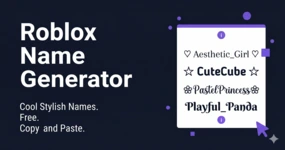
Quick answer: A Roblox name generator creates stylish Unicode display names you can use on your Roblox profile. Aesthetic, cute, bold, and symbolic styles all work. Free and copy paste ready.
Your Roblox display name is separate from your username and can be changed freely. A stylish display name makes your profile stand out in games and friend lists. TextChic gives you 260+ styles including cute, aesthetic, and bold options that work great on Roblox.
What is a Roblox name generator?
A Roblox name generator converts your chosen name into stylish Unicode versions. Roblox allows Unicode characters in display names, which are shown above your avatar in games and on your profile page. These are different from your Roblox username which cannot contain Unicode.
Because display names are separate from usernames on Roblox, you can use stylish Unicode fonts without affecting your account login or friend requests.
How to create a stylish Roblox display name
- Type your name aboveEnter the display name you want to style.
- Choose a styleCute, aesthetic, and small caps styles are popular on Roblox. Bold works great too.
- Copy in one tapHit copy next to your chosen style.
- Open RobloxGo to your account settings and find the Display Name field.
- Paste and savePaste your stylish name and save your changes.
Cool Roblox display name examples
Cute Style
𝒸𝓊𝓉𝑒𝓃𝒶𝓂𝑒
Aesthetic Style
ᴀᴇꜱᴛʜᴇᴛɪᴄ
Bold Style
𝗥𝗼𝗯𝗹𝗼𝘅
Cursive Style
𝓡𝓸𝓫𝓵𝓸𝔁
Vaporwave Style
Roblox
Small Caps Style
ʀᴏʙʟᴏx
Roblox display name rules
| Rule | Detail |
|---|---|
| Character limit | 20 characters maximum |
| Change frequency | Once every 7 days for free |
| Unicode support | Display names support Unicode characters |
| Username | Your login username cannot contain Unicode |
What Makes a Roblox Username Stand Out?
Roblox has over 200 million registered accounts. Standing out with a username in that crowd requires some thought. The best Roblox names are easy to read, unique enough to not be taken already, and give some hint of your personality or play style. Names that are just a string of random letters and numbers get forgotten immediately — if you can not read it out loud smoothly, it is probably not the right name.
Roblox usernames are permanent unless you pay to change them (Robux fee applies). That makes choosing your name upfront more important here than on most other platforms. Take your time, generate a list of candidates, check availability, then decide — do not rush the process.
Roblox Name Ideas by Personality
The best way to pick a Roblox username is to match it to who you are as a player. Here are ideas by personality type:
Competitive and serious: SwiftStrike, PeakPlayer, EliteForce, ShadowPro, VoidRunner, RankClimber, TierOne, ApexGrinder
Fun and silly: BlobFish99, WobbleKing, TacoRunner, ChaosCookie, PixelGoose, NoodleWarrior, SillySword, CactusHero
Cool and mysterious: EchoVoid, DuskShadow, NightPhase, StealthWave, CrimsonEcho, PhantomStep, MidnightCraft, VoidWhisper
Aesthetic and creative: SoftPetal, MoonGlitch, PastelStorm, CherryPulse, StarDrift, AuroraStep, CrystalEcho, BloomVoid
Adventure and exploration: QuestWalker, MapRunner, DungeonPro, TreasureHunt, ExploreX, VaultBreaker, LostRoamer, MapMaster
Roblox Names for Girls and Boys
Roblox has a huge and diverse player base, and usernames are not gender-restricted. But here are some ideas if you want something that leans a certain way:
Strong and bold names: StormKnight, IronPulse, VoidKing, ShadowBlade, TitanForge, GrimWarden, NightRaider, BladeStorm
Soft and aesthetic names: LunaGlitch, RosePetal, StarBloom, SoftVoid, PearlWave, CherryDrift, PastelMoon, SugarEcho
Funny and memorable: TroubleBot, CheeseWizard, PajamaKnight, QuietChaos, SnackBreak, SleepyHero, MuffinForce, Glitchmaster
Whatever you choose, make sure it is something you are happy to use in public. Your Roblox name shows up in every game, every chat, and every leaderboard. Pick something you are proud to put behind your score.
How to Check Roblox Username Availability
Before you commit, check that your chosen name is actually available. Go to roblox.com and click “Sign Up.” Enter your desired username in the username field — Roblox will immediately tell you if it is taken or not. You can do this without completing the signup process.
If your first choice is taken, here are strategies that usually free up a good name: Add a single digit at the end (pick a meaningful number, not just “1”), Capitalize differently (RobloxPlayer vs robloxplayer may both be taken, but RobloxPLAYER might not), Add a prefix like Real, The, or True, or Combine two short words that are both common but rarely paired together.
Avoid names with excessive underscores or numbers — they look like throwaway accounts and are harder for other players to remember or find you by.
Roblox Name Ideas for Popular Game Modes
If you mostly play specific types of Roblox games, a name tied to that genre can be a nice touch:
Adopt Me and roleplay games: SweetRoller, CozyCraft, PetKeeper, SoftDreamer, CaringPro, HappyNest, CalmWarden, TenderBlossom
Tower defense and combat games: WaveBreaker, TowerGuard, StrikeWave, DefensePro, FortressX, GuardCommand, TowerElite, WaveWarden
Obstacle courses (Obbies): JumpPro, SkipRunner, PlatformKing, ObbyElite, LandingPro, SwiftJumper, VaultRunner, ParkourPro
Horror and mystery games: GlitchSurvive, WhisperEcho, CursedStep, HauntRunner, VoidPulse, ShadowSurvivor, EchoFear, NightEscape
Roblox Username Rules You Need to Know
Roblox has specific rules around usernames that can get your account flagged or banned. Know them before you pick your name:
Usernames must be 3 to 20 characters long. They can contain letters, numbers, and underscores. No spaces or special characters. Usernames cannot be offensive, impersonate Roblox staff or well-known creators, or include personal information.
Roblox also scans usernames for inappropriate words — including creative spellings and letter substitutions (like using 0 for o or 1 for i). The filter is smart. If your name is flagged during sign-up, that is the system catching something — choose something clean instead of trying to work around it.
Once set, your username costs Robux to change. Current pricing can be checked on the Roblox website. So choose deliberately the first time and save yourself the cost.
Frequently asked questions
Do stylish fonts work in Roblox?
Yes. Roblox display names support Unicode characters. Cute, aesthetic, bold, and cursive styles all display correctly above your avatar in games and on your profile.
What is the difference between a Roblox username and display name?
Your Roblox username is your login name and cannot contain Unicode or special characters. Your display name is what shows in games and can use Unicode styles freely.
How often can I change my Roblox display name?
Roblox allows one free display name change every 7 days.
Is the Roblox name generator free?
Yes. TextChic is completely free with no account or registration needed.
Can I change my Roblox username for free?
No. Changing your Roblox username requires a Robux payment (the in-game currency). The exact amount can change, so check current pricing on roblox.com. This is why it is important to choose your username carefully when you first create your account — the cost to change it later adds up if you switch names frequently.
What are the character limits for a Roblox username?
Roblox usernames must be between 3 and 20 characters long. They can include uppercase letters, lowercase letters, numbers, and underscores. Spaces and special characters (like hyphens, periods, or symbols) are not allowed. Usernames are also case-sensitive during account login but display as originally typed.
Are Roblox usernames case-sensitive?
Roblox treats usernames as unique regardless of capitalization. This means “RobloxPlayer” and “robloxplayer” cannot both exist as separate accounts — the system blocks the second registration. When searching for a player, the search is usually not case-sensitive, so you can find someone whether you type their name in caps or lowercase.
