



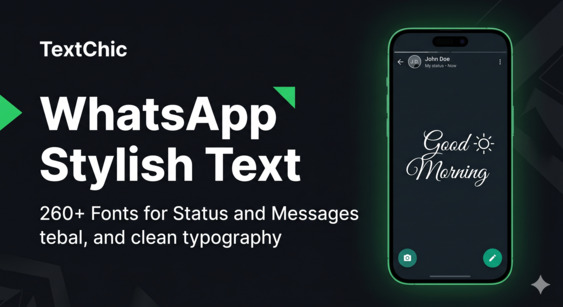
TextChic gives you 260+ stylish font styles you can use in WhatsApp status, messages, group names, and bio. Type your text, pick a style, and paste it directly into WhatsApp it works on Android and iPhone without installing anything.
What is WhatsApp stylish text?
WhatsApp stylish text refers to Unicode characters that look like decorative fonts but work as plain text on any device. Because WhatsApp supports Unicode, these stylish characters display correctly in status updates, messages, and group names on both Android and iPhone.
The difference between stylish text and regular text is purely visual — the underlying characters are part of the Unicode standard, so they transfer between devices without breaking.
How to add stylish text to WhatsApp
- Type your text into the generator above.
- Browse the 260+ font styles and find one you like.
- Tap the copy button next to that style.
- Open WhatsApp — go to Status, a message, or group name.
- Long press in the text field and tap Paste.
Where to use stylish text on WhatsApp
| Where | Example use | Best style |
|---|---|---|
| WhatsApp Status | Motivational quote in cursive | Fancy, Cursive |
| Group Name | Family or friend group with symbols | Symbolic, Decorative |
| Profile Name | Stylish display name | Bold, Elegant |
| Messages | Birthday wish in fancy text | Cute, Heart |
| Bio / About | Short stylish description | Small, Aesthetic |
Does stylish text work on WhatsApp?
Yes — all TextChic fonts use Unicode which WhatsApp supports fully. They display correctly on both Android and iPhone, and the person receiving your message sees the same stylish text you sent.
Best font styles for WhatsApp
| Style | Example | Best for |
|---|---|---|
| Fancy Cursive | 𝓗𝓮𝓵𝓵𝓸 | Status quotes, profile name |
| Bold | 𝗛𝗲𝗹𝗹𝗼 | Group names, announcements |
| Cute | ʜᴇʟʟᴏ | Personal messages, birthday wishes |
| Symbolic | ꧁Hello꧂ | Group names, decorative status |
| Small Text | ʜᴇʟʟᴏ | Secondary text, subtle styling |
| Vaporwave | Hello | Aesthetic status |
Frequently asked questions
Does stylish text work in WhatsApp status?
Yes. WhatsApp status supports Unicode text fully. Copy any style from TextChic and paste it directly into your status — it will display correctly for all your contacts.
Can I use stylish text in WhatsApp group names?
Yes. WhatsApp group names support Unicode characters. Keep in mind the 25-character limit — some stylish characters count as more than one character depending on the style.
Will the person I message see the stylish text correctly?
Yes. Unicode fonts display correctly on all modern Android and iPhone devices. The other person sees exactly what you copied, as long as their device has basic Unicode font support — which all smartphones made after 2015 do.
Is TextChic free for WhatsApp fonts?
Yes. TextChic is completely free — no account, no subscription, unlimited use.
Why does my stylish text look different after pasting into WhatsApp?
This can happen on very old Android devices with limited Unicode support. Try a simpler style — bold or cursive fonts have the widest compatibility across all devices.
Can I use stylish text on WhatsApp Web?
Yes. WhatsApp Web supports the same Unicode characters as the mobile app. Copy from TextChic on your computer and paste directly into WhatsApp Web.
Related tools
